
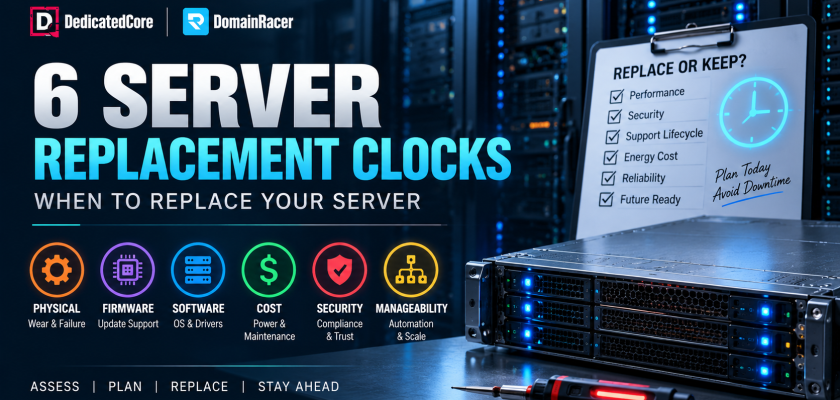
Server replacement is the decision of when a machine has genuinely earned retirement — and the calendar was never the real trigger. Nine out of ten hosting blogs will tell you every three to five years. Alphabet saved $3 billion in 2023 by running its fleet for six years instead of four. Microsoft also extended the life of over four million machines from four years to six. Enterprise storage still fails at just 0.1–0.2% past the five-year mark.
A server does not run one countdown; it runs six, and the earliest to expire is the one that matters. DedicatedCore and DomainRacer track all six clocks on every server. That’s why our clients replace hardware on a date they choose — not because of an outage they didn’t see coming.
The DedicatedCore-Designed™ Server Replacement Six-Clock Framework
Generic refresh cycles ignore the one thing that matters most: how a machine was actually used. We score every server across six clocks — the Six-Clock Test — and replace on whichever expires first, not the average, and rarely the “it broke” one. It is the first check we run when a client asks whether a box has had its day.
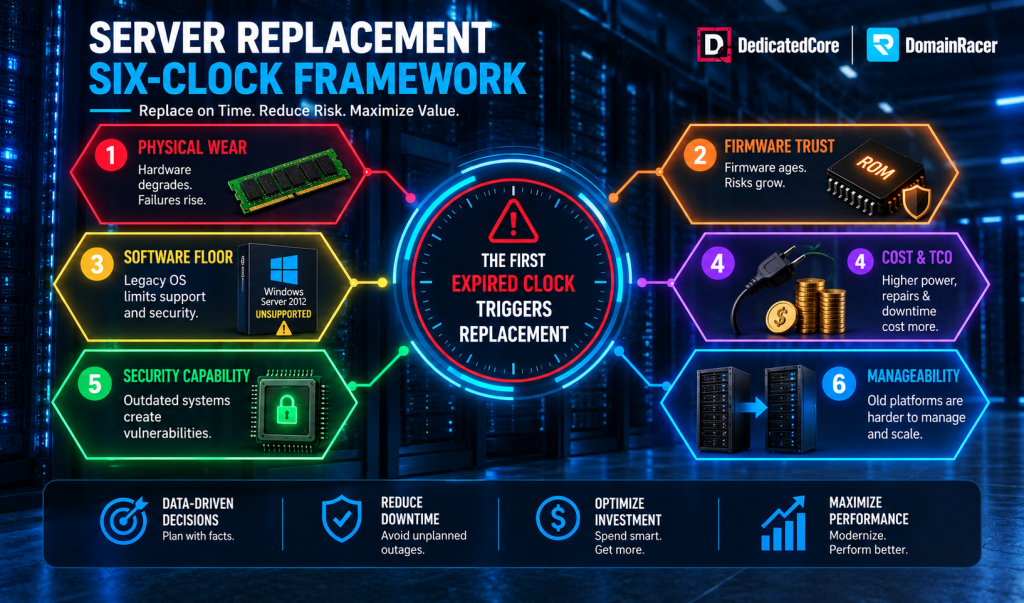
The DedicatedCore-Designed™ Server Replacement Six-Clock Framework
- Physical wear. The signal is not age but rate: memory errors clustering on one stick, bad sectors climbing monthly, fans failing in groups. Full detail in our guide to failing server hardware.
- Firmware trust. BIOS, BMC, RAID, and NIC firmware all need patching. Once the vendor stops signing updates, every new vulnerability remains open permanently.
- The software floor. New kernels drop old processors and NICs. One abandoned driver leaves you stranded on an OS that itself stops receiving patches.
- Cost. Power, cooling, licensing, downtime risk, residual value. It rings quietly, and it is usually the one already expired.
- Security capability. Root of trust, memory encryption, confidential computing. Regulated clients ask for these by name, and outdated silicon cannot offer them.
- Manageability. Every extra generation means more spare SKUs, more drivers, more automation exceptions. Legacy hardware fights automation and becomes dead weight.
In well-run environments, physical failure is the last clock to expire. Waiting for it is the most expensive path available. When replacement is justified by the workload, DedicatedCore dedicated servers provide a current hardware platform rather than extending an aging one.
The Server Replacement Six-Clock Framework at a Glance
| Clock | Early warning sign | Business impact | Our recommended move |
| Physical | Disk, fan, or PSU failures rising | Unplanned downtime | Replace hardware |
| Firmware | Vendor stops shipping updates | Security and trust risk | Refresh platform |
| Software | OS or drivers unsupported | Compliance gaps | Upgrade or migrate |
| Cost | Power and maintenance climbing | Higher TCO | Replace or consolidate |
| Security | No TPM, Secure Boot, or encryption | Compliance failure | Refresh platform |
| Manageability | Non-automatable management, or CPU sustained above 85% | Operational overhead, capacity ceiling | Standardise the fleet, scale up or out |
Most hosts only ever read the first row — physical wear — because it is the only one that generates a support ticket. We score all six every quarter, which is how a replacement lands on a date you chose instead of a morning you didn’t.
Server Replacement Decision Indicators Based on Hardware Lifecycle
Four signals together put a server firmly past saving. Any one starts the conversation, and two together end it.
- Expired support. Past End-of-Service-Life (EOSL), parts access is gone, and every repair is a gamble on scarce stock.
- Sluggish performance that survives an upgrade. If more RAM or storage did not fix it, the platform is the ceiling.
- Upkeep above half the cost of new. Once maintenance and utility bills pass 50% of replacement cost, you are renting the old box at a premium.
- Security exposure. Hardware that cannot run current firmware or a supported OS fails compliance on its own.
We check all four of these against your setup before we recommend anything. Three of them cost nothing to fix now, but cost you a lot if you ignore them.
The cost side deserves its own mention. Servers use 60% of a data center’s power, and 75% in AI-heavy setups. Old hardware performs worst under partial loads, which is how servers actually run most of the time. Here’s the simple rule: replace a server once the yearly cost of keeping it beats the cost of replacing it. To calculate that number, check our guide on server asset value and depreciation. It covers power, licensing, warranty, downtime, and resale value.
Server Replacement Exceptions Every Enterprise Should Understand
Most of this industry is built on one instinct: telling you to replace. Three conditions say otherwise, and they are worth more to you than any quote.
- CPU under 30% with normal memory. The box is not working hard enough to be the problem. Capacity fixes nothing.
- Vendor still ships firmware and patches. Support is the clock that matters most. While it runs, the platform holds.
- Security posture holding. Current firewalls, live endpoint tooling, supported OS — the security clock has not expired.
- Warranty lapsed, but the server’s healthy. A dead warranty is not a dead server. Good drives rarely fail past five years, third-party maintenance runs 50–70% below a refresh, and Uptime Institute puts the energy case holding out to nine. Still supported, still patched, still fast enough means still worth keeping.
Servers that pass all four checks stay exactly where they are on our watch — no upgrade quote, no refresh nudge, no manufactured urgency. A replacement only gets proposed when a clock has actually expired, and we name which one. If the workload has changed and dedicated hardware is no longer necessary, DomainRacer VPS hosting can provide an alternative hosting model.
Server Replacement for Changing Business and Infrastructure Requirements
Just as often, a perfectly healthy server gets replaced because the business outran the hardware.
- Growth outruns the box. Traffic doubles, the database swells, and you are borrowing against next quarter. Replacement or a hardware upgrade depends on whether the board still has room.
- The AI wall. Old boards cannot host high-wattage accelerators or fast interconnects. With the IEA projecting data centre power to double from 415 TWh in 2024 to 945 TWh by 2030, that hardware is swapped for capability, not failure.
- Compliance and insurance. Banks, hospitals, and payment processors require supported hardware. An unsupported server fails the audit on its own, and cyber insurers price it accordingly.
- The hybrid catch. If a workload moves to the cloud within 12–18 months, do not buy new metal. Bridge with memory or NVMe and let the migration date set the end of life. For workloads that need a flexible hosting environment during this transition, DedicatedCore best VPS hosting is another option to consider.
The market cannot agree on lifespan for this reason: 42% of operators replace every two to three years; only 8% wait six or more. Same hardware, different clocks—that’s why we plan each replacement as a project. We provide capacity forecasts, total cost of ownership (TCO), and procurement lead times. We also include migration testing and a rollback path. All these steps happen before any movement takes place. You inherit that process rather than build it.
Enterprise Server Replacement Comparison: Planned vs. Reactive
Every host replaces hardware eventually. The only real difference is what pulls the trigger.
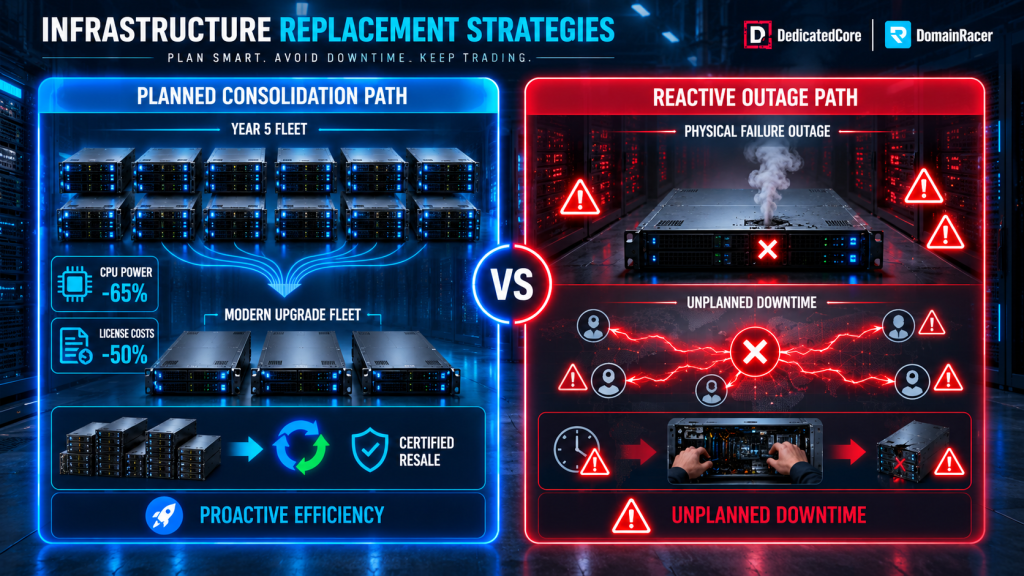
Enterprise Server Replacement-Planned vs. Reactive
| What decides replacement | Typical budget host | Average managed host | DedicatedCore / DomainRacer |
| Trigger | The server stopped | The server stopped | Whichever clock expires first |
| Clocks tracked | None | Physical only | All six, scored per node |
| Support dates | Your responsibility | Logged, rarely actioned | Tracked, flagged before EOSL |
| Cost modelling | None | On request | Keep-vs-replace run annually |
| Migration | Your problem | Scheduled window | Planned, rollback staged, no downtime |
| Your old hardware | Your problem | Your problem | Valued, wiped, resold, or recycled |
| What you find out | An outage | An outage | A replacement date you chose |
That last row is the entire product. Planned replacement is a line item. Unplanned replacement is a war room, and the difference is one of the widest cost gaps in infrastructure.
Old hardware follows one clear path here: it gets logged, fully wiped of data, then either fixed up for reuse or sent to certified recyclers. Healthy machines are valued for resale first, since that money helps pay for the new machine replacing it. The used market prices a machine based on its generation, not how well it’s been kept — so when you sell matters just as much as when you buy.
The Business, Operational, and Financial Benefits of Server Replacement
When a clock has genuinely expired, the return is measured, not promised — and durable, not a one-year spike. Here is what a replacement actually buys back:
- Lower energy bills. Consolidating old clusters onto modern hardware cuts CPU energy costs by up to 65%, at far better performance per watt.
- Fewer machines. One modern high-core server replaces two or three older ones — less licensing, less rack space, fewer points of failure.
- Stronger security. A two-year refresh cut measurable security risk for 66% of organisations in Forrester research.
- Longer runway. Uptime Institute finds the efficiency case holding out to around nine years, even as Moore’s Law slows.
- What we handle. We model the Total Cost of Ownership (TCO) in both ways. Migrate without downtime and recover the secondary resale value of the old fleet before racking the new box. This is the line most hosts skip.
Server Replacement Business Outcomes Through Our Real-World Examples
Case Study 1 — The healthy fleet that was quietly overcharging.
A SaaS company ran twelve five-year-old servers. Every dashboard was green, and nothing had failed, so replacement looked like a waste. The hidden cost was licensing: twenty-four sockets, software priced per socket, most of those cores sitting idle.
Our Solution: The cost clock had expired even though the hardware had not. DedicatedCore consolidated the workload onto five modern servers with no downtime.
The Result: Power dropped around 40%, socket licensing more than halved, and seven used machines were sold to fund the upgrade.
Case Study 2 — The three-year-old server that could not keep up.
An application developer wanted to add AI features to its product. The primary server was three years old and running flawlessly, so nobody planned to touch it. But the board could not power modern accelerators, and no maintenance would change that.
Our Solution: The capability clock had expired years before the wear clock would. DomainRacer moved the workload onto AI-ready hardware with no downtime.
The Result: Features shipped on schedule. The old node was refurbished and redeployed to a workload that suited it.
Server Replacement Questions Answered by DomainRacer Experts
Is there anything I should not rush to replace?
Plenty stays, and knowing what to keep is most of the job. When a single component can solve the problem, we don’t upgrade the whole server. Upgrading components such as RAM, NVMe, and network cards extends the server’s lifespan by two to three years. We save a lot by upgrading components because we spend only a small fraction of the cost of buying a new server. The distance between processors is much shorter than before.
We also do not replace healthy hardware because a warranty has lapsed. While firmware still ships, the OS is still supported, and no other clock is close to expiring, the machine stays. Nobody calls a production server vintage, but that is only true while somebody is still patching it.
How do you know a server is dying before it fails?
The warning signs surface months ahead, so a hard failure should be rare. We track memory errors that can be fixed, reallocation counts, and increasing storage latency. We also monitor the growing p99 latency tail. The slow tail climbs before the average shifts, even when dashboards appear fine.
When several curves bend the wrong way together, serious failure is usually months out, not years. That window is the whole point: it converts an unscheduled outage into a maintenance slot you picked.
Nothing catches everything. That’s why a board or PSU that fails unexpectedly falls under our hardware replacement SLA. We offer on-site spares, technicians on every shift, and a clock that starts when we detect the fault, not when you submit a ticket.
Should I keep an old server running if it still works fine?
“Still works” only tells you about physical wear — and that’s usually the last problem to actually happen. We’ve seen bare metal run fine for years while slowly falling behind on firmware, security, and power use. This ends up costing more each month than just replacing them would.
Price the full cost of holding on: wasted power, lost licensing efficiency, security exposure, and rising failure risk. Once that number passes the cost of a modern platform, the old box stopped saving you money and started charging you rent.
Plan Server Replacement Before Downtime Plans It for You
Six clocks, one rule: whichever one runs out first sets your replacement date. Physical wear usually rings last, and it’s the most expensive one to wait for. Firmware, cost, and capability often run out years earlier, even on a machine that still looks fine. Retire it the right way, and it leaves with its data destroyed and its value recovered — that’s where server decommissioning takes over.
So pick your moment. Wait for the outage and let a Tuesday morning decide your budget, your weekend, and your customers’ opinion of you. Or have DedicatedCore and DomainRacer score all six clocks against your fleet and hand you a date you can plan around — including the answer nobody else gives, which is that this year the honest move is to keep what you have.

