
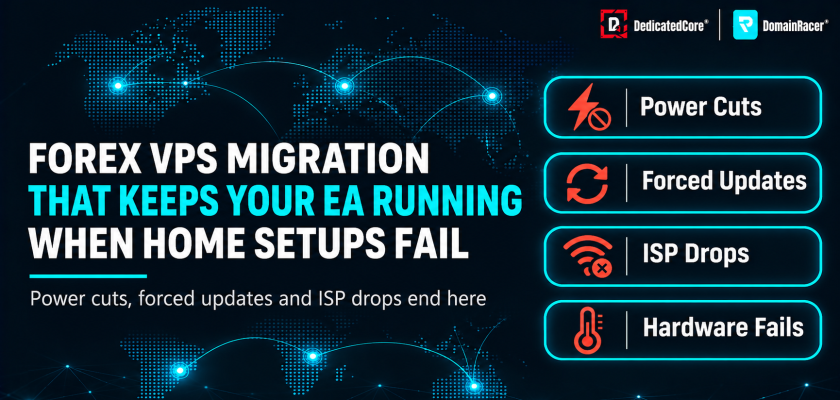
A 2025 Uswitch survey found that 41% of UK broadband users lost their connection at least once in the past year. Two-thirds of those outages lasted three hours or more. For a trader running an EA on a home PC, a three-hour gap during the London session means a missed exit or a margin call with no one at the screen.
Most traders search “best setup for forex trading” and start with a home PC. It works until it doesn’t. One power cut during a live trade shows the gap between convenience and reliability. DedicatedCore and DomainRacer host Forex VPS servers for traders who need their platform running without depending on home power or broadband.
Forex VPS vs Home PC: Why a Home Setup Falls Short for Live Trading
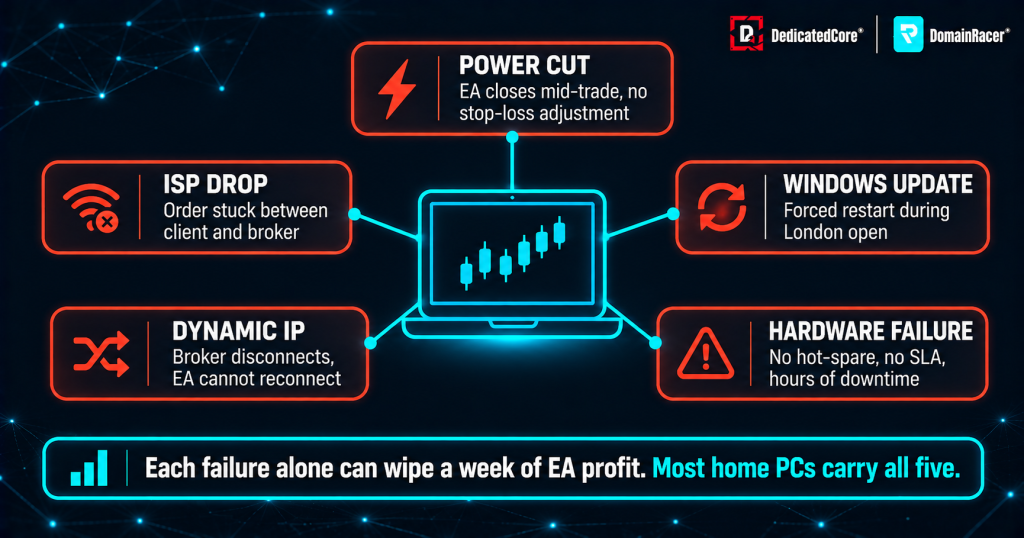
DedicatedCore’s Forex VPS comparison highlights how hosted trading servers help reduce common home PC interruptions and support consistent EA operation.
Most traders start with a home PC because it is convenient. The limits show up when an outage interrupts a live session.
- Power cuts and load shedding — a single outage during a live trade closes nothing gracefully. The platform shuts down. The EA stops. The position sits unmanaged until power returns
- ISP routing and congestion — the whole household shares one connection in the evening. Streaming and gaming on that shared bandwidth cause packet loss.
- Accidental restarts — Windows 10 and 11 force updates and reboot without warning. A restart during a trailing stop leaves the stop frozen at its last level
- Hardware failure — a power supply, fan or SSD fails with no backup. Thermal throttling from running 24/7 slows execution speed
- Dynamic IP addresses — home broadband assigns IPs that change every few days. Some broker setups and prop firms expect a consistent IP
These are not edge cases. We remove every one of them. Our sites run on redundant power with diesel backup and enterprise NVMe storage. Every setup also includes a dedicated static IP. Real examples are covered in Forex VPS Failure Case Studies.
How a Forex VPS Keeps EAs and Trading Bots Running 24/5
Expert Advisors, scripts, and trade copiers only work while the terminal is running. The Forex week runs 24 hours a day, five days a week.
- Windows update problem — Windows 10 and 11 force restarts for updates. Windows Server lets the admin schedule patches for the weekend market close
- Trailing stops run on the terminal — MT4 trailing stops execute on the local terminal, not on the broker’s server. If the PC goes offline, the stop freezes at its last level
- Session timing across time zones — for traders in Asia, Africa or the Middle East, the London and New York sessions fall in the evening and overnight. A VPS keeps the strategy running while the trader sleeps
- Uninterrupted EA testing — backtests and forward tests run without skewing from power cuts or restarts. Results stay clean
We schedule all Windows patches for the weekend market close. We also offer 15–45 minute Hardware Replacement SLA response times. Our monitoring team watches CPU load and memory usage across every node around the clock. We catch stalled processes before the next session opens.
Forex VPS Proximity: The Connection Between Latency and Slippage
A home internet connection adds 50–200 ms of latency to reach a broker in London or New York. A VPS near the trading hub cuts that to under 5 ms.
- Multi-hop home path — a home connection passes the ISP first, then several exchange points. From there, it crosses international cables to reach the broker.
- VPS inside the hub — a VPS in Equinix LD4/LD5 sits on the same network as the broker’s matching engine. The path shrinks to one or two hops
- News-event risk — during NFP, CPI, and rate decisions, prices move within milliseconds. Higher latency means wider slippage and more requotes
- Match the VPS to the broker — the broker’s server address shows in the platform’s connection bar. The VPS should sit in the same city or data center
- Stable routing — a data centre line confirms orders more consistently than a home line. A home connection often reroutes traffic when congestion builds up.
We place servers inside Equinix LD4/LD5, NY4, TY3, FR2 and SG1 with premium carriers and cross-connects. We measure latency and jitter on every node so traders see real numbers before they commit. Each metric is explained in Forex Ping, Latency, Jitter and Execution Speed.
The Role of VPS Hardware Performance in Smooth Forex Trading
On a home PC, the trading platform competes with browsers, antivirus scans, and other programs for CPU, RAM, and bandwidth.
- KVM isolation — proper virtualisation gives the VPS its own dedicated CPU cores and memory. No other user’s workload can steal resources
- No overselling — budget VPS hosting packs dozens of users onto one server. A trading VPS with dedicated cores avoids this
- Fewer platform freezes — traders moving from a home PC notice calmer terminal behaviour. Charts load faster, and tick data arrives without gaps
- Heavy backtesting — multi-core CPUs handle strategy testing without freezing the trader’s own screen. RAM and CPU upgrades need no new hardware
We run KVM isolation with dedicated 4.5–5.7 GHz cores, DDR5 RAM and enterprise NVMe on every plan — no overcommit, no shared CPU pools. The sizing breakdown is in Forex VPS CPU, RAM and Disk Requirements.
Securing Forex VPS Trading with a Stable IP and Proper Configuration
A shared family PC exposes trading credentials and EA code to malware, phishing, and accidental access.
- Isolated environment — the VPS keeps broker passwords and EA files away from everyday browsing and downloads.
- Post-setup security steps — change the default admin password, keep patches current, and limit RDP access to known IPs.
- Stable IP behaviour — a dedicated static IP keeps logins clean. Shared IPs can get flagged by brokers or prop firms
- Regional compliance — a VPS does not change what is legal. Traders in every country must use brokers and products that their local rules allow. Indian traders face specific requirements covered in India Forex VPS Rules and Regulations
We assign a dedicated static IP to every VPS on setup, with firewall hardening, RDP lockdown to known IPs, and network-edge DDoS filtering. The full approach is documented in How We Secure Trading Servers.
Understanding Forex VPS: Trading-Optimized Hosting vs Regular VPS
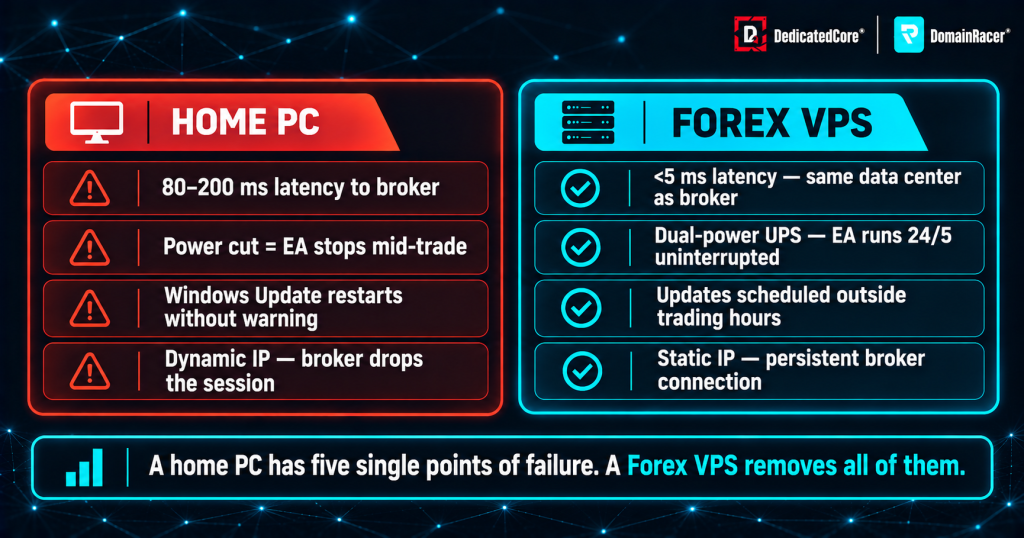
DedicatedCore’s Forex VPS comparison highlights how hosted trading servers help reduce common home PC interruptions and support consistent EA operation.
A Forex VPS is a remote Windows Server machine that stays online around the clock. Traders access it over RDP.
- Always-on access — the VPS runs whether the trader’s PC is on or off. It can be managed from a phone, tablet or second laptop
- No home dependency — power cuts, ISP drops and hardware failures at home do not affect the trading session
- Tuned for trading — a Forex VPS stays free of extra software. It is placed near the trading server where orders execute
- Different from web hosting — a regular VPS hosting plan shares resources across websites. A Forex VPS is built for continuous tick data and stable sessions
We configure every Forex VPS specifically for trading. Windows Server comes pre-installed with the High Performance power plan active. We strip unnecessary services, so the VPS is ready for MT4, MT5, or cTrader. The differences between hosting types are broken down in Comparison: Forex VPS vs PC vs Dedicated Server vs Broker VPS.
Who Needs a Forex VPS? Prop Firms, EAs and Manual Traders
The shift to a VPS is not only about EAs. Different trading styles hit the same home-setup limits in different ways.
- Prop-firm traders — strict drawdown rules leave no room for disconnects. A short drop during a news event can breach a daily limit and end an evaluation
- Multi-account traders — trade copiers mirror one master account across several accounts. A VPS keeps account behaviour consistent without logging in from several devices
- Manual traders — they connect only when needed. The platform stays ready without the PC being on
- Beginners testing EAs — uninterrupted forward tests give clean results. Power cuts and restarts no longer skew the data
- Part-time traders with jobs — trades stay managed while they are offline
We match each trader type to the right plan — prop-firm traders get London or New York nodes, multi-account traders get extra RAM for parallel terminals.
Switching from Home PC to Forex VPS: A Safe DedicatedCore Migration Checklist
The move takes a weekend when markets are closed. Plan it away from NFP or FOMC.
- Disable EAs first — turn off auto-trading on the home PC before copying files. This prevents duplicate orders on two machines
- Back up everything — copy the MQL4 or MQL5 folders: Experts, Indicators, Scripts, Libraries, and Presets. Save templates, profiles, and history data to cloud storage
- Note credentials — write down broker server names, account numbers, and passwords before you move. Also save the magic numbers and chart layouts you use.
- Check EA licences — each new machine uses one MQL5 Market activation. Check remaining activations before migrating
| Migration step | What to do | Why it matters |
| Connect to the VPS | Use the IP, username, and password from the provider via mstsc | Confirms access before moving anything |
| Install the platform | Fresh install from the broker, then paste in the data folders | Avoids corrupted files from a direct copy |
| Enable settings | Turn on Algo Trading and DLL imports in the terminal | EAs will not run without these |
| Auto-start setup | Set terminals to launch at startup with auto-logon enabled | The VPS recovers from a reboot on its own |
| Parallel test | Run both setups side by side for 24–48 hours | Catches problems before the full switch |
| Cut over | Disable auto-trading on the home PC | One setup runs live at a time |
The biggest habit to learn: always disconnect from RDP instead of logging off. Disconnecting keeps the platform running. Common mistakes include leaving sleep mode on, not checking the time zone, and running too many EAs on a small plan.
We walk every trader through migration — checking EA activations, verifying time zones, configuring auto-start, and running a parallel test before cutover.
Forex VPS Migration: Comparing Provider Support and Setup Services
Not every host helps with the move. The table below shows where budget, managed, and DedicatedCore plans differ on the specs that matter during migration.
| What to check | Typical budget host | Average managed host | DedicatedCore / DomainRacer |
| Migration support | Self-service only | Email support | Assisted setup with trading-specific guidance |
| Platform pre-installed | No | Sometimes | MT4, MT5 and cTrader ready on request |
| KVM isolation | Shared containers | Shared with soft limits | Isolated KVM with dedicated vCPU and DDR5 RAM |
| CPU clock speed | Undisclosed | Listed but shared | Published CPU model, 4.5–5.7 GHz dedicated cores |
| Storage type | SSD or spinning disk | SSD standard | Enterprise NVMe on every plan |
| Global server locations | One or two regions | Major cities only | LD4/LD5, NY4, TY3, FR2, SG1 + regional nodes |
| Trial period | No trial | 7-day trial | 30-day trial with money-back guarantee |
We publish every spec upfront so traders can compare real numbers before they commit. The full selection process is in Forex VPS How to Choose.
Real-World Case Studies: Switching to a Forex VPS for Reliable Trading
We move traders from home PCs to Forex VPS servers every single week of the year. These case studies show exactly what breaks when a live strategy depends on home power and home broadband.
Case Study 1 — An EA left unmanaged after a power cut during the London session.
Customer: A part-time trader ran a scalping EA with trailing stops from a home laptop. A power cut during the London session shut down the terminal. The trailing stop froze. The trade reversed and hit the original stop-loss. The gains the EA had built were lost.
Our solution: We set up a VPS in London matched to the broker’s server. We helped the trader back up the MQL5 folder and check EA activations. We configured auto-start and ran a parallel test over a weekend.
The result: The EA ran through two more power cuts at home without interruption. The trader had rebuilt the home setup twice before. The problem was never the PC itself. It was running a 24/5 strategy on hardware that goes offline every few days.
Case Study 2 — A forced Windows update restarting the PC during a news event.
Customer: A manual trader left positions open overnight with an EA managing the exit. Windows 11 installed updates and restarted at 3 AM local time. The EA stopped. The position ran past the intended exit level by 40 pips.
Our solution: We moved the setup to a Windows Server VPS where updates are scheduled for the weekend market close. We configured the terminal for auto-start. We set the time zone to match the broker’s server.
The result: No unplanned restarts in the first month. Windows Server gave the trader control over when patches apply. The home PC had no way to prevent a forced restart. Network-level protections also play a role. DedicatedCore runs DDoS Attack Prevention at the network edge to keep the VPS reachable during traffic surges.
DedicatedCore Expert Answers: Safely Switching from Home PC to Forex VPS
We’re often asked whether moving to a VPS is really worth the effort for a smaller trading account. The three questions below cover the doubts traders raise with us most often before they finally switch. They deal with technical skill, EA licences, and whether the home PC still has any role afterwards.
I’m not technical. Is moving to a VPS difficult?
We walk traders through the full process. Installing MT4 or MT5 on a VPS works the same as on a home PC. The connection uses Remote Desktop, built into Windows. Most traders finish in under an hour.
The hardest part is remembering to disconnect from RDP instead of logging off. Logging off stops the platform. Disconnecting keeps everything running. Terminal settings to check after setup are covered in Forex VPS Optimization for MT4 and MT5.
I bought an EA from the MQL5 Market. Will it work on the VPS?
We see this question often because MQL5 Market products use activation limits. Each new machine, including a VPS, uses one activation. Most products allow between five and ten activations. Check the remaining count before migrating.
Some third-party EA vendors lock licences to a hardware ID or IP. Contact the vendor before moving. A dedicated static IP on the VPS keeps the licence stable after setup. Common licence issues are covered in Forex VPS Common Issues.
Should I keep my home PC as a backup after moving?
We advise keeping it ready but not running live. Disable auto-trading on the home terminal so it does not send duplicate orders. Leave the platform installed with your data folders intact. If the VPS ever needs maintenance, you can reconnect the home setup quickly.
Log slippage, fill times, and EA behaviour on both setups for 48 hours. The numbers usually make the case on their own. How to run that comparison is explained in How We Measure Proximity and Performance.
Ready to Move Beyond Home PC Trading? Make the Switch to Forex VPS
The shift removes the single points of failure that home setups carry. Power, internet, hardware, and forced updates sit outside the trader’s control at home. A VPS moves the platform to infrastructure built for continuous operation. Every millisecond saved on the network path reduces fill costs. The impact is broken down in Forex VPS Slippage Explained.
DedicatedCore Forex VPS and DomainRacer Forex VPS provide dedicated static IPs, isolated KVM, global server locations including LD4/LD5 and NY4, and 4.5–5.7 GHz CPUs on every plan. Start with a 30-day trial backed by a money-back guarantee and run a parallel test against your home setup.

