
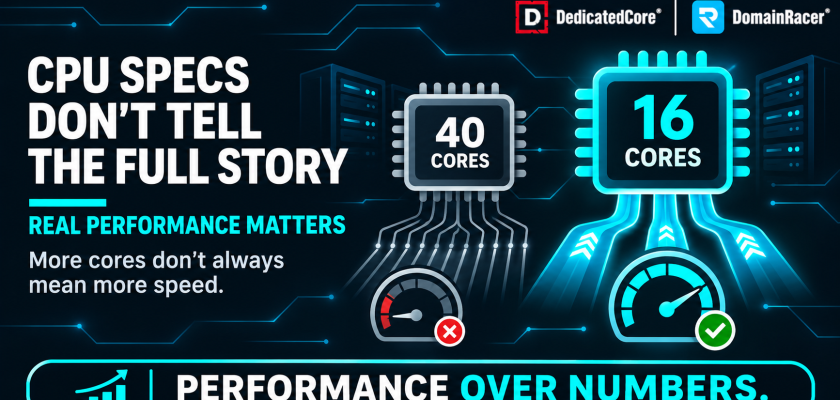
Spec International’s 2024 benchmark data showed that a 16-core Intel processor at 4.0 GHz base frequency outperformed a 40-core older-generation chip on single-thread workloads by over 55%, despite having less than half the core count. For hosting buyers. Whether choosing a VPS, a dedicated server, or a Forex VPS, that gap exposes a fundamental problem with how providers market CPU performance.
Providers list core counts and RAM because big numbers sell. But a 96-core server split across 200 VPS customers delivers less usable performance per customer than a 16-core server split across 8. DedicatedCore and DomainRacer built a 10-point CPU evaluation methodology that looks past the headline specs—matching the CPU to the workload and the allocation model so the customer gets the performance they paid for.
The Core Count Trap: Understanding Real CPU Performance in VPS Hosting
A provider advertising “64 cores” is stating a fact about the hardware. It says nothing about what the customer actually gets.
- Core count is a capacity metric. It tells you how many threads the server can run in parallel. It does not tell you how fast any single thread runs
- The overselling model. A 96-core server selling 100–200 VPS instances means each “4 vCPU” customer shares physical cores with dozens of others
- The 40-core trap. A 40-core server from 2017 at 2.1 GHz processes each request more slowly than a 16-core 2024 server at 4.0 GHz. More parallel capacity, but each request finishes later
- What matters per customer. Per-core speed, CPU generation, and dedicated vs. shared allocation
The CPU model, generation, and allocation method are published on every DedicatedCore VPS plan we sell. We separate capacity from performance because a trader buying a 4-core plan needs to know whether those cores are fast or just numerous. We document how overselling inflates core counts through a cores versus vCPU comparison so buyers see past the label.
DedicatedCore’s 10-Point Framework for Evaluating Server CPU Performance
This is the framework DedicatedCore uses to select, configure, and allocate CPUs across VPS and dedicated server infrastructure. Customers can use the same framework to evaluate any provider.
- 1. Generation first. A 2024 chip at 3.5 GHz delivers 40–60% more work per cycle than a 2017 chip at the same clock. Never compare core counts across generations
- 2. Architecture matters. Within the same generation, Intel P-cores prioritise single-thread speed while AMD Zen 5 cores prioritise throughput. Neither is universally better
- 3. Per-core performance over core count. Especially for workloads that run on a single thread. PHP, databases, game servers, and trading platforms process requests sequentially
- 4. Frequency plus architecture, not frequency alone. A 4.0 GHz chip on an older architecture can be slower than a 3.5 GHz chip on a newer one. Use frequency together with benchmark data
- 5. Core count after per-core performance. Additional cores become valuable only after per-core capability is established. Core count is the scaling axis, not the performance axis
- 6. Workload determines the winner. A virtualisation node hosting 200 customers needs many cores at moderate clocks. A Forex VPS needs fewer cores at the highest possible clock speed
- 7. RAM capacity is not CPU performance. 512 GB of RAM does not make the CPU faster. Large RAM allows more VPS instances, not faster processing
- 8. VPS allocation changes everything. A provider can install a powerful CPU and then oversubscribe it with hundreds of customers. The allocation ratio decides what each customer gets
- 9. Dedicated cores vs shared vCPU must be separated. A “4-core” dedicated plan and a “4 vCPU” shared plan look identical on paper. During peak load, only one of them performs
- 10. Evaluate the complete platform. The chain is CPU → RAM → storage → virtualisation → allocation → network → workload. A fast CPU on shared storage with a congested NIC still underperforms
We apply all ten points when configuring every server and VPS tier and run every infrastructure refresh through the hardware risk signals we track, so the methodology stays documented end to end. We built this methodology because headline specs hide too much. The same “4-core NVMe VPS” label can mean anything from a 2015 chip shared ten ways to a current-generation dedicated processor.
Intel vs AMD CPU Performance: Choosing the Right Processor for Your Server
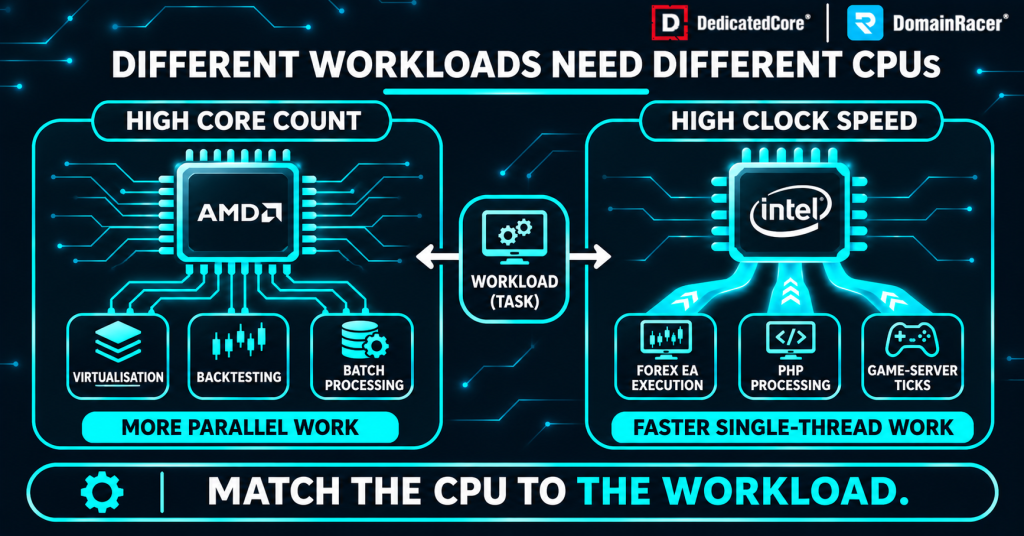
DedicatedCore compares Intel and AMD CPU performance across different server workloads, from virtualization and backtesting to Forex EA execution.
The question is not which brand is better. Both Intel and AMD produce excellent server CPUs. The question is which specific model fits the workload.
| Area | Intel | AMD | What actually decides |
| Single-core speed | Very competitive | Very competitive | Specific model matters more than brand |
| Multi-core density | Strong | Generally stronger | AMD has pushed core density aggressively |
| Power efficiency | Good | Generally excellent | AMD often wins performance per watt |
| VPS hosting | Excellent | Excellent, often preferred | Core density matters for the provider |
| Forex VPS | Excellent | Excellent | Clock speed and per-core latency matter more |
| Price to performance | Good | Often better | Depends on actual server pricing |
The provider’s incentive vs. the customer’s need: AMD EPYC with 96 cores lets a provider sell 50–200 VPS instances from one machine. Intel with 24 high-clock cores hosts fewer customers but gives each one sustained speed. DedicatedCore selects CPUs based on the workload each tier serves, not on core density for resale. We verify how CPU selection changes real throughput through how CPU performance compares with specifications so claims match measured results.
Traders on DomainRacer Forex VPS plans we offer get the right CPU architecture, so per-core speed is never compromised by core density.
CPU Sustained Frequency vs Boost Clock: Real Performance Under Server Load
A CPU rated at 5.2 GHz boost does not run at 5.2 GHz under sustained load. Boost clock is a short burst on one or two cores that lasts fractions of a second. Once all cores are loaded and thermals climb, the chip settles to a lower sustained frequency. That sustained number is what the customer actually gets on a server running around the clock.
- Boost clock is a burst rating. It applies to one core for a few seconds. A server running 24/7 never operates at burst for more than a moment
- Sustained clock is the real spec. A chip that boosts to 5.2 GHz but sustains 4.1 GHz under full load is a 4.1 GHz processor for production workloads
- Thermal throttling widens the gap. Poor cooling or dense rack placement forces the CPU to cut frequency further. The spec sheet shows 5.2 GHz; the customer gets 3.8 GHz
- Our test at DedicatedCore. We measure clock speed after 30 minutes of sustained full-core load, not at idle or during a single-core burst. That sustained figure is what we publish
We publish sustained frequency alongside the CPU model for every plan. A provider quoting only a boost clock is advertising the ceiling, not the floor. We track sustained performance over time on the same schedule as the DDoS detection checks, so frequency drops from thermal or load anomalies are caught before they affect customers.
Every Forex VPS trading plan on DedicatedCore Forex VPS servers runs on sustained high-clock processors, so traders see the real frequency, not the burst.
Server CPU Buying Checklist: What to Ask Before You Choose
Nine questions that separate a transparent provider from one hiding behind headline specs.
- Is the CPU shared or dedicated? If the provider says “burstable” or avoids answering, the plan is shared
- How many vCPUs are allocated? And are they physical cores or hyper-threaded logical threads
- Are CPU cores pinned? Pinned cores stay assigned to your VPS permanently. Unpinned cores can be reassigned by the hypervisor
- What is the CPU oversubscription ratio? 1:1 means dedicated. 4:1 to 10:1 means shared with increasing contention risk
- What CPU generation is actually used? Anything older than Intel 12th Gen or AMD Zen 3 is running outdated architecture
- What is the single-core benchmark score? Geekbench 6 single-core above 2,500 is current. Below 1,000 is 2015-era hardware
- What is the sustained performance under load? Does the advertised boost clock hold, or does it throttle after a few seconds
- What is the expected CPU contention during peaks? What happens during news spikes or end-of-month processing
- Is the VPS using dedicated or shared storage and networking alongside the CPU? A dedicated CPU on shared storage still underperforms
We answer every question on this list before the customer buys. We publish these answers on the plan page itself so traders verify before they commit, not after. We hold every evaluation to how infrastructure quality is judged so the framework stays consistent across tiers.
Server CPU Selection in Practice: How We Apply Our Performance Methodology
DedicatedCore applies the 10-point methodology to every hardware decision. The result is a different CPU choice for each product line.
- Forex VPS. Intel and AMD processors are selected for the highest sustained single-core clock speed (4.5–5.7 GHz). Fewer cores per server, each one pinned and dedicated with no oversubscription
- Dedicated servers. The customer chooses the CPU based on their workload. High-clock options for latency-sensitive applications, high-core-count options for virtualisation and parallel processing. Full hardware isolation
- VPS hosting. Balanced configurations with enough per-core speed for web workloads while using core density for efficient allocation. The oversubscription ratio is published, not hidden
We publish the exact CPU model on every plan page so buyers can verify independently. We test the full execution path, including CPU processing time, and watch for the hardware upgrade warning signs so every component is measured under load.
DedicatedCore configures every cloud dedicated server with the CPU model, generation, and benchmark score published on the plan page so buyers can verify before they commit.
Comparing Providers: CPU Allocation, Clock Speed, and Performance
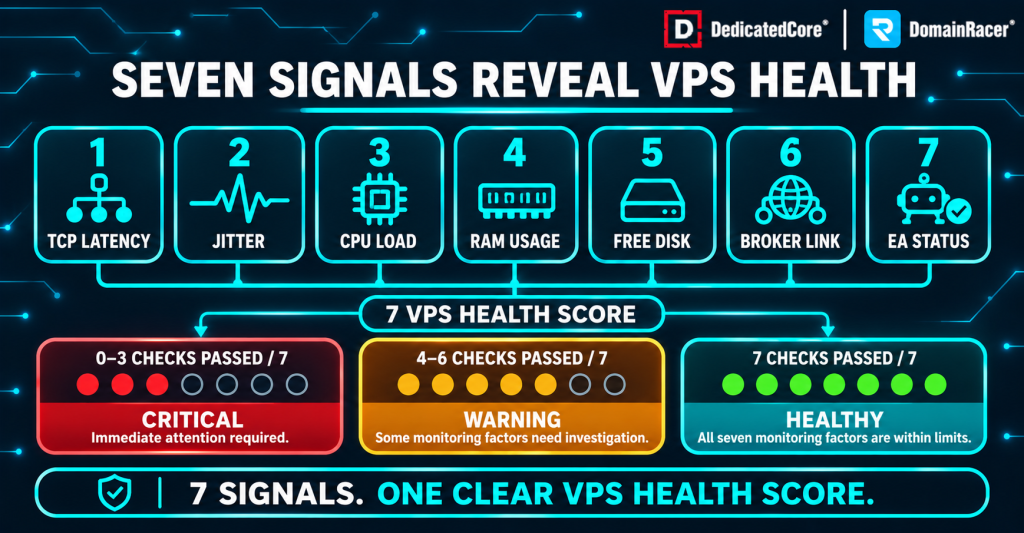
DedicatedCore’s VPS health score classifies server status as critical, warning, or healthy based on monitoring results.
Most providers list a core count and a price. This table shows what sits behind the label across budget, managed, and DedicatedCore plans on the methodology points that affect real performance.
| What to check | Typical budget host | Average managed host | DedicatedCore / DomainRacer |
| CPU model disclosed | No | Generation mentioned | Exact model published per plan |
| Clock speed | 2.0–3.0 GHz | 3.0–4.0 GHz | 4.5–5.7 GHz sustained boost |
| Allocation method | Shared, 4:1–10:1 overcommit | Soft dedicated limits | KVM with pinned dedicated cores, 1:1 |
| CPU generation | Often 2015–2019 era | 2020–2022 | Current-generation with DDR5 |
| Oversubscription published | No | No | Yes, on every plan page |
| Benchmark access | Not permitted | Permitted | Encouraged, results verifiable |
| Trial period | No trial | 7-day trial | 30-day trial with money-back guarantee |
A provider that won’t disclose the CPU model or the allocation ratio is selling capacity, not performance. We run regular benchmark checks to catch CPU performance drift on the preventive maintenance schedule we follow, so no server drifts unnoticed.
DomainRacer applies the same transparency standard across every VPS hosting plan, so each tier lists the CPU model, allocation ratio, and benchmark data upfront.
Server CPU Performance in Practice: Our Real-World Case Studies
We track every migration where a customer moves from one CPU setup to another. These cases show how the 10-point methodology translates into measurable trading results.
Case Study. A prop firm with 64 cores and slow live execution.
A prop firm running 15 MT4 terminals on a 64-core AMD EPYC at 2.3 GHz. Backtesting was fast, but live execution slipped 0.8 pips at London session opens. Each terminal processed ticks on a single thread, and that thread ran slowly on low-clock cores.
Our solution: We split the workload in two. Live terminals moved to a DedicatedCore Forex VPS with 4 dedicated cores at 5.2 GHz. The 64-core EPYC stayed in place for overnight backtesting.
The Result: Live slippage dropped from 0.8 pips to under 0.15 pips. Backtesting times stayed unchanged. The cost of two services was recovered within the first month through reduced slippage alone. We document slippage-to-hardware links through why slippage varies between orders so traders see the number behind the chip.
Case Study 2. A web agency on shared cores during Black Friday.
A Magento agency running 12 client stores on a budget VPS with “8 vCPU” at 2.4 GHz shared. Page generation averaged 2.1 seconds at normal times. During Black Friday, it spiked past 6 seconds, as every neighbor on the node hit peak traffic at once.
Our solution: We moved the stores to a DedicatedCore VPS with 8 pinned cores at 4.5 GHz and 1:1 allocation. No other customer shared those cores.
The Result: Page generation dropped from 2.1 seconds to 0.7 seconds at normal load and held under 1.2 seconds during Black Friday peak. The agency’s stores stayed fast while shared-core competitors timed out. We verify how allocation ratios change real throughput through how RAID levels compare so CPU and storage both match the workload.
DomainRacer Experts Answer Common Questions About Server CPU Performance
We get these questions from traders, agencies, SaaS teams, and resellers. Anyone buying a VPS or dedicated server who has been burned by headline specs that did not match real performance.
Does a 64-core server perform better than a 16-core server?
We test both configurations under the actual workload before recommending. Parallel tasks gain the most from core count. Virtualization, databases, and video encoding let 64 cores process more work at the same time. For single-thread tasks, each request finishes faster on a higher clock. A 16-core server at 4.0+ GHz outperforms a 64-core at 2.3 GHz on Forex EA execution, PHP processing, and game server ticks.
The choice between a dedicated server and a VPS is costed over the server depreciation schedule so the form factor matches the workload. Single-core score decides latency-sensitive workloads and multi-core score decides parallel ones.
Why do providers prefer high-core-count CPUs if they’re not always faster?
We see this driven by economics. A 96-core AMD EPYC with 512 GB RAM can host 100–200 VPS customers on one machine. A 24-core Intel at a higher clock speed hosts fewer customers, which means more hardware to buy. The high-core-count model maximizes revenue per server. But it cuts per-customer performance once the allocation ratio climbs above 4:1.
Real examples of oversubscribed high-core servers causing execution failures are documented in the incident reviews we published so buyers learn from real outcomes.
Is GHz the only spec that matters for clock speed?
We never evaluate clock speed without the architecture behind it. GHz measures how fast the clock cycles run, not how much work each cycle performs. A 4.0 GHz chip from 2017 performs less work per cycle than a 3.5 GHz chip from 2024 because of IPC improvements in newer architectures.
Frequency pairs with the CPU model and Geekbench 6 single-core score, which captures clock speed, IPC, and cache in one number. How CPU performance interacts with storage configuration is verified through how hardware and software RAID compare, so both layers complement each other.
Beyond Marketing: Make Server CPU Performance the Deciding Factor
A CPU spec sheet is a starting point, not a performance guarantee. Generation, architecture, per-core speed, allocation method, and workload matching decide what the customer actually gets. Providers that publish core counts without disclosing the model, generation, and allocation ratio are selling capacity, not performance.
DedicatedCore and DomainRacer apply the 10-point CPU methodology to every plan. Current-generation processors at 4.5–5.7 GHz with dedicated KVM cores and zero oversubscription. Start with a 30-day trial backed by a money-back guarantee.

