
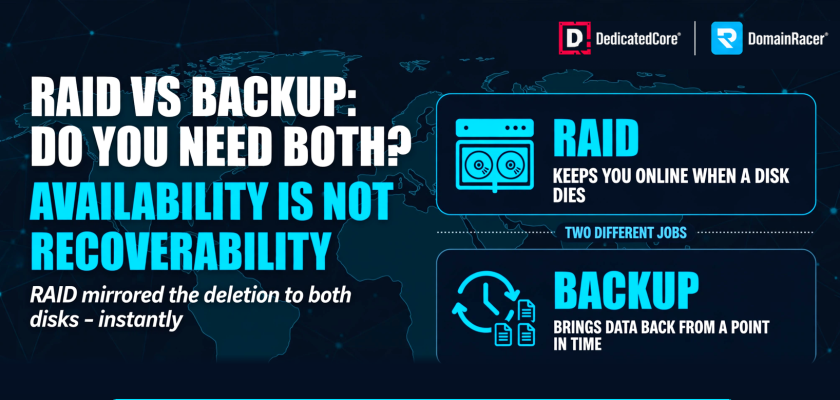
A customer once told us their RAID 1 array was their backup plan. Two copies of every file, updated in real time. Then an application error deleted their production database on a Friday afternoon. RAID mirrored that deletion instantly to both disks. According to Veeam’s 2024 Data Protection Trends report, 76% of organisations experienced at least one data-loss event in the prior year, and the leading cause was human error and software bugs.
At DedicatedCore and DomainRacer, we separate the two jobs on every production server. RAID keeps a server running when a disk dies. Backups restore data when everything else fails. This article explains why, walks through five failure scenarios, and documents the stack we run across both brands.
RAID vs Backup: The Key Difference by Failure Type
The fastest way to understand the split is to test each protection against the failures a server actually faces.
RAID vs Backup by Failure Type
| Failure Scenario | RAID Saves You? | Backup Saves You? |
| Disk failure | Yes. Array continues on surviving disks | No. Restore takes hours; downtime is real |
| Accidental file deletion | No. Deletion mirrors instantly | Yes. Restores the file from a previous copy |
| Database corruption | No. Corruption mirrors instantly | Yes. Restores from a pre-corruption snapshot |
| Ransomware encryption | No. Encryption mirrors instantly | Yes. Restores from an unencrypted copy |
| Full server loss (fire, theft, flood) | No. All disks lost together | Yes. Off-server copy survives |
| Bad software update | No. Broken state mirrors instantly | Yes. Restores the system to a working state |
- RAID is availability. It keeps the server online when a disk dies.
- Backup is recoverability. It brings data back from a point in time.
- Our one-line test: if the data is wrong, RAID keeps the wrong data online. Backup brings back the right data.
We plan both protections before a server enters production. The separation between availability and recoverability is documented at deployment, following a dual-layer risk checklist so every server starts with both protections planned, not added later.
RAID vs Backup: Understanding Where RAID Stops Prevents the Costliest Protection Mistake
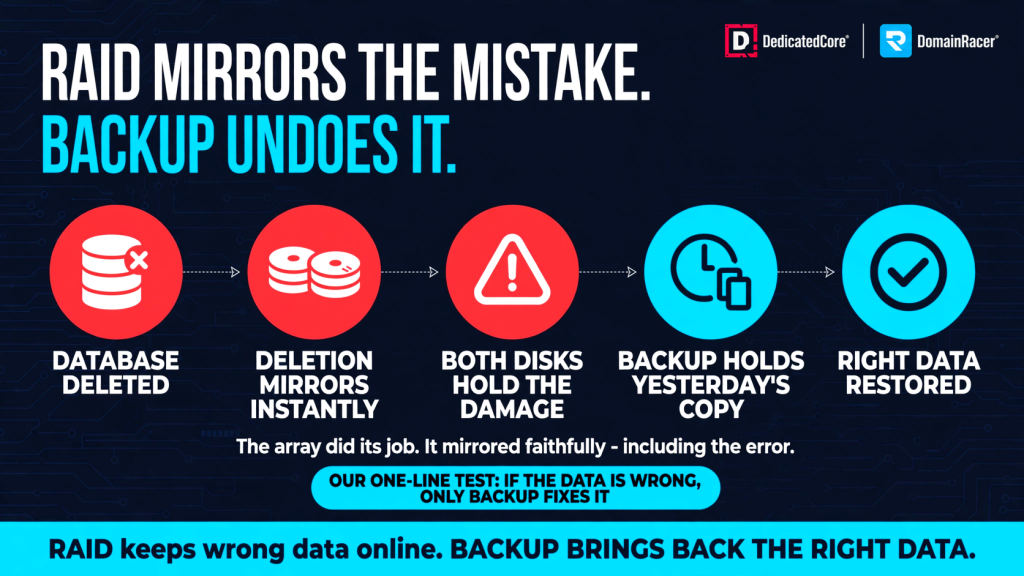
RAID replicates accidental deletions across every mirrored disk instantly—only an independent backup can roll back corrupted or deleted data.
RAID handles one failure well: a dead disk. When a drive fails, the surviving disks keep the server running without interruption.
- No restore and no downtime. The array continues serving every file and database row the moment a disk dies
- Instant replication of every mistake. Corrupted files, deleted databases, and ransomware encryption mirror to every disk simultaneously before anyone notices
- No history. RAID holds only the current state. It has no versions, no yesterday. If the current state is damaged, every disk in the array holds the same damage.
- Faithful mirroring is the feature and the limitation. The array did its job. It mirrored faithfully. Faithful mirroring is not protection against anything except a dead disk.
We configure every array to handle its worst-case failure, not its average day. The mechanics of fault tolerance, rebuild windows, and write penalties vary by level — a RAID level comparison explains the fault-tolerance trade-offs across all five configurations.
Backup Retention Planning: Choosing the Right Recovery Window
Backup creates point-in-time copies. Yesterday’s database, last week’s server image, the file tree as it stood before the bad update. That history is the entire value.
- File-level vs full-image backup. File-level restores a single deleted table in minutes. Full-image copies the entire server as one block, restoring from bare metal but taking longer
- Full vs incremental. Full copies everything and restores fastest but uses the most storage. Incremental copies only changes, uses less space, but needs the full chain to restore
- Retention windows matter. Last night’s backup misses ransomware that sat dormant for days or corruption that started weeks ago. We keep daily, weekly, and monthly retention points so the restore target reaches back past the damage window
- The 3-2-1 rule. Three copies of the data, two different media types, one copy stored off-server. A backup sitting on the same server it protects dies with that server.
We set backup frequency by the workload’s tolerance for data loss, not by a default schedule. Every backup schedule follows a workload-aligned maintenance cycle so retention windows match each workload’s risk profile.
RAID vs Backup: Five Realistic Failures and Recovery Outcomes
Theory is useful, but walking through real scenarios makes the boundary impossible to forget.
Five Failures and What Saves You
| Scenario | RAID Response | Backup Response | What We Do | Recovery Time |
| Disk dies at 2 a.m. | Array continues on surviving disks | Not needed | Replace disk, monitor rebuild | 15–45 min to start rebuild |
| Admin deletes a database | Deletion mirrors instantly | Restore from last backup | Restore database, verify with customer | 20–60 min depending on size |
| Ransomware encrypts server | Encryption mirrors to all disks | Restore from pre-infection backup | Isolate, wipe, restore clean | 2–6 hours for full server |
| Entire server lost | All disks gone | Off-server backup is the only copy | Provision new server, restore image | 4–8 hours for full rebuild |
| Bad update corrupts filesystem | Corruption mirrors to all disks | Restore from pre-update backup | Roll back to last good backup | 1–3 hours depending on scope |
- Hardware failures belong to RAID. Only the first row needed the array. The disks did their job, and the server stayed online.
- Data failures belong to backup. Every other row needed a point-in-time copy the array could never provide.
- No overlap. No single row needs both for the same reason. No single protection covers both columns.
We test restore procedures on a fixed schedule so the team practises recovery before it is needed. Real outage reviews — including infrastructure failure case studies — show why rehearsed restores matter more than untested copies.
RPO and RTO Explained: Measuring Data Loss and Recovery Time
Two numbers define how much a failure costs: RPO and RTO.
- RPO. Recovery Point Objective. How much data can you afford to lose? Backups every 24 hours mean up to 24 hours of lost data. RPO sets the backup frequency
- RTO. Recovery Time Objective. How long can the server be down? A RAID disk swap takes 15–45 minutes online. A full backup restore takes 4–8 hours. RTO sizes the redundancy
- The cost is not abstract. A trading server offline for 4 hours costs real money. We set RPO and RTO per workload, not per server, because different workloads on the same rack need different recovery targets
We align every RPO and RTO with the workload it protects, calibrated against a ten-point evaluation standard that sizes RPO and RTO per workload so the targets are realistic, not aspirational.
Server Snapshots Explained: Temporary Rollback, Not Recovery
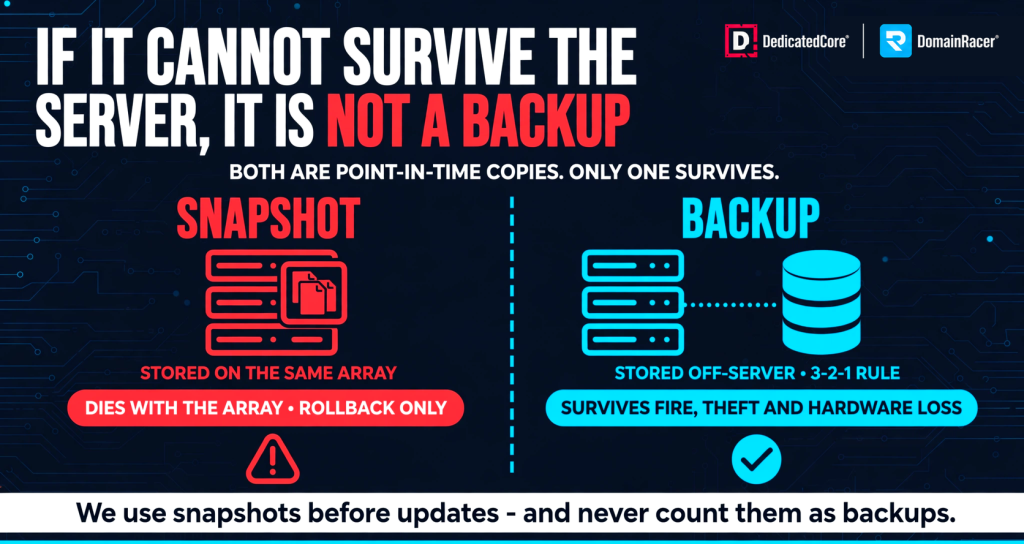
Snapshots live on the same storage array and die with the hardware—only off-server copies following the 3-2-1 rule count as true backups.
A snapshot is a point-in-time image of a disk or volume, stored on the same storage system. It is useful before risky changes, but it is not a backup.
- A snapshot lives on the same array. If the array or server is lost, every snapshot on it is lost. A snapshot cannot survive the hardware it sits on
- A snapshot is a short-lived rollback point. Take a snapshot before an OS update, roll back if it breaks, delete the snapshot once stable. That is the safe scope.
- Our published test is simple: if the copy cannot survive the server, it is not a backup. Anything beyond a temporary rollback needs a real backup stored off-server.
We treat snapshots as temporary rollback points, never as a substitute for off-server backup. Snapshots serve as rollback points inside an incident response sequence — useful before a planned change, dangerous if treated as the only copy.
DedicatedCore RAID and Backup Standards Across VPS and Dedicated Servers
We deploy RAID and backup together on every production server. The combination is deliberate, not redundant.
- VPS nodes. RAID 10 handles disk failures on the node. Off-node backups protect the VMs themselves, and the backup never sits on the same hardware it protects
- Dedicated servers. RAID 1 at two disks or RAID 10 at four provides the disk-failure layer. Off-server backups run nightly to a separate storage system and we enforce this as a deployment rule
- DomainRacer shared and reseller hosting. cPanel-level backups cover each account’s website files, databases, and email. Customers see their data backed up and restorable from the control panel
- Restore testing. A backup that has never been tested is a hope, not a plan. We run scheduled test restores and verify the restored system starts, connects, and serves traffic
We pair every array with an off-server backup from day one. No server ships with only one layer, and every hardware rotation follows a replacement lifecycle plan so server replacements never leave a node without its backup pair.
RAID and Backup Requirements: Who Needs Both Protection Layers?
Any server holding the only copy of anything that matters needs both RAID and backup.
- RAID keeps the server online when a disk fails. Backup stays untouched, reserved for failures the array cannot handle.
- Backup restores data when everything else fails. The array mirrors the damage; only the backup holds a clean copy.
- The exceptions are narrow. A throwaway test server or a server with live replication to a system that carries its own backup may skip one layer. In both cases, the exception is documented and reviewed, not assumed
- Every production server ships with both layers active from day one. We do not sell RAID as a backup alternative.
We keep replacement disks on-site at every data centre, so the RAID layer stays healthy between failures. A data centre spare parts stocking policy ensures the array rebuilds fast while backups handle the rest.
Comparing Hosting Plans: RAID Setup, Backup, and Restore Testing
Most providers list backup frequency and a RAID level. This table shows what sits behind the label when you compare budget, managed, and DedicatedCore plans on the protections that matter after a failure.
| What to check | Typical budget host | Average managed host | DedicatedCore / DomainRacer |
| RAID and backup both active | Often only one | Both available, not always default | Both layers active from day one on every server |
| Backup stored off-server | Same server or same rack | Separate storage node | Off-server with 3-2-1 rule enforced |
| Retention window | 1–3 days | 7 days | Daily, weekly, and monthly retention points |
| Restore testing | Never | On request | Scheduled test restores on a fixed cycle |
| RPO and RTO published | No | Estimated on request | Set per workload and documented at deployment |
| Disk replacement stock | No guarantee | Next-business-day | Spare drives stocked on-site at every data centre |
| Trial period | No trial | 7-day trial | 30-day trial with money-back guarantee |
A provider that markets RAID as a backup alternative is hiding a gap in their stack. We separate both protections at deployment, and every VPS plan on transparent allocation hosting tiers ships with RAID and backup active from day one, so no server carries only one layer.
RAID vs Backup in Practice: Two Real Customer Case Studies
We run RAID and backup together on every production server. Our case studies show one failure each was built for. RAID answered the first, backup answered the second, and neither could have done the other’s job.
Case Study 1. The disk died, the server did not
The issue: A dedicated server at DedicatedCore lost one disk in the middle of the week. The customer’s applications were live, and restoring from backup would have meant hours of downtime. The data itself was never in danger, only the service.
Our solution: The RAID 1 array kept the server running on its surviving mirror while we replaced the failed disk. We monitored the resync until both disks were fully mirrored again.
The result: The server never went offline, and no restore was started. This was the failure RAID exists for, and backup was never touched.
Case Study 2. Perfect hardware, deleted data
The issue: An application error deleted a live database on a DomainRacer hosting server. Every disk in the array was healthy. RAID mirrored the deletion to both disks the moment it happened.
Our solution: We restored the database from the point-in-time backup taken before the error. Before reconnecting the application, we verified the restored data with the customer.
The result: The database returned as it was before the deletion, losing only changes made after that backup point. The array protected nothing here; the backup protected everything.
Both cases show the same thing. RAID and backup are not two versions of one protection; they are answers to two different failures.
DedicatedCore’s Expert Answers to RAID and Backup Questions
We are often asked whether one protection makes the other unnecessary. The confusion usually comes from how other providers market RAID as a data safety feature. Here are the three questions we hear most, answered the way our engineers explain them.
Does RAID 10 count as a backup?
We tell every customer the same thing: RAID 10 is availability, not recoverability. It keeps the server online when a disk fails, but it mirrors every write the moment it happens, including deletions, corruption, and ransomware encryption.
A backup brings back data from a specific point in time while RAID brings back uptime. Treating RAID as a backup means discovering the difference during the exact scenario where you need the backup most. Failed drives ship under drive replacement time commitments that keep the array healthy while backup handles the data layer.
Do daily backups make RAID unnecessary?
We see this logic in reverse too, and the answer is the same: they solve different problems. A daily backup protects your data but does not keep your server running. When a disk fails on a server with no RAID, restoring from backup means hours of downtime and rebuilding from scratch.
Both layers together close the gap: RAID keeps the server live when a disk fails, while the backup stays untouched for the failures it was designed for. Removing either layer means accepting a gap the other cannot fill.
Is a snapshot enough on its own?
We use snapshots before planned changes like OS updates, major application upgrades, and database migrations. They create a fast rollback point on the same storage, and if the update breaks something, we roll back in minutes.
A snapshot stored on the same array dies with the array, which is why it never counts as a backup. It cannot survive hardware failure, fire, or theft, and every customer should treat snapshots as temporary safety nets only.
Explore DedicatedCore and DomainRacer: Secure Both Protection Layers
RAID exists for hardware failures. Backup exists for data failures. Neither can do the other’s job, and skipping either one means accepting a category with no protection at all. Every production server ships with both layers active from day one because the two protections answer two different failures.
DedicatedCore and DomainRacer help buyers evaluate RAID protection and backup coverage through documented array configurations, off-server backups, and account-level backup retention. Compare Cloud Dedicated Server configurations from DedicatedCore to understand how documented RAID setups support storage protection, and explore transparent VPS allocation plans with a 30-day trial backed by a money-back guarantee.

