
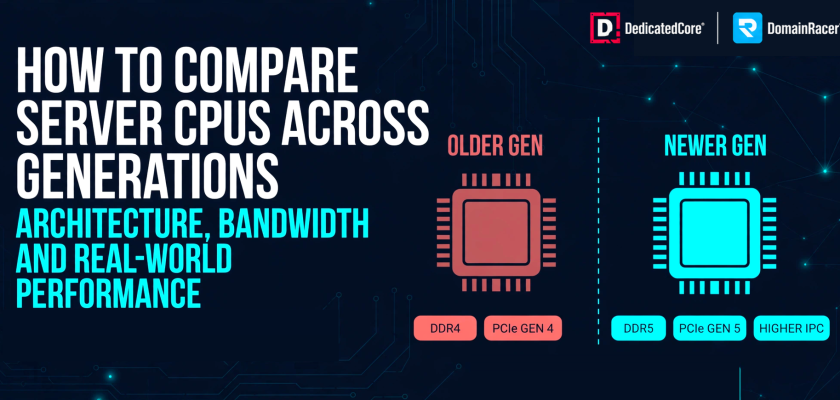
Comparing server CPUs across generations is not a speed bump check. The architecture, memory system, PCIe interface, and instruction sets all change at once. A newer chip with fewer cores can outperform an older flagship because it does more work per cycle and feeds data through DDR5 faster.
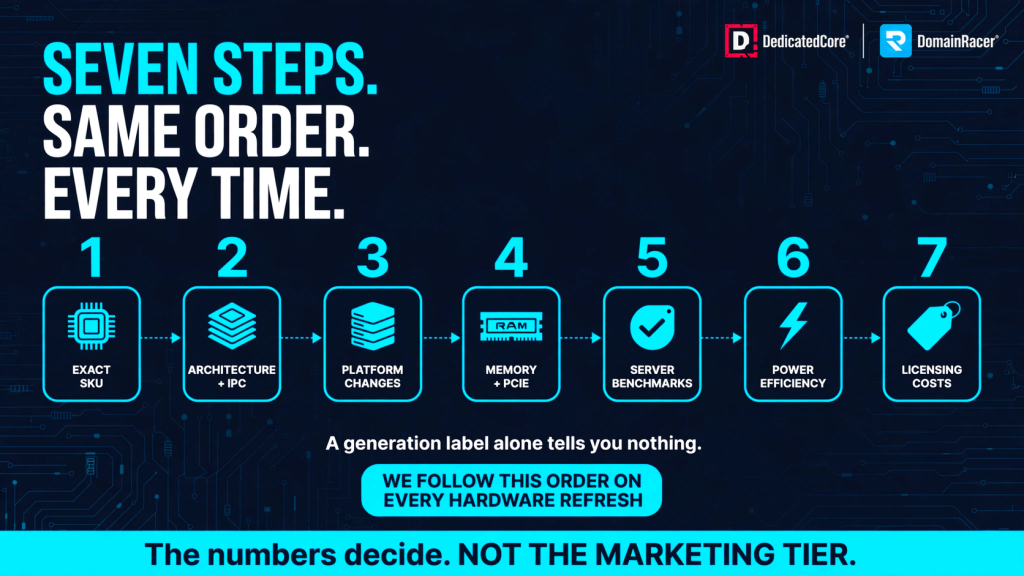
What method produces a fair comparison? For dedicated server and VPS hosting buyers, a wrong generation call wastes money on idle cores or bottlenecked bandwidth. DedicatedCore and DomainRacer follow a five-step method: exact SKU, architecture and IPC, platform audit, server benchmarks, then power and licensing.
DedicatedCore’s 7-Step Method for Comparing CPU Generations
At DedicatedCore, our CPU comparison methodology evaluates seven key factors: architecture, core performance, memory bandwidth, PCIe capabilities, benchmark results, power efficiency, and total cost of ownership. This structured approach ensures every generation is assessed against real-world performance, platform reliability, and long-term operational value.
1. Exact CPU SKUs: The Foundation of Every Fair Generation Comparison
“Intel Xeon Gold” is a family label. “AMD EPYC 2nd Gen” is a marketing tier. We start every comparison from exact model numbers.
- Name both SKUs. Intel Xeon Gold 6230 vs 6430, or AMD EPYC 7713 vs 9554. The model number pins down every specification
- Record the same fields. Architecture, cores, threads, base and boost clock, TDP, memory channels, and PCIe lanes
- Reject unnamed hardware. If a provider will not name the exact SKU, the comparison cannot proceed
We publish the exact CPU model on every plan page. When a provider will not disclose the SKU, hardware gap detection checklist flags the procurement risk so the comparison starts from verified specifications.
2. Server CPU Architecture: How IPC and Core Density Shape Performance
The architecture generation decides how much work each core finishes per clock cycle. This is the single largest variable between generations.
- IPC gains per generation. Newer designs raise IPC by 10 to 40 percent. A 4.0 GHz Granite Rapids core outperforms a 4.0 GHz Cascade Lake core at the same clock
- Core and thread density. Newer processors pack more cores into the same or lower TDP, making server consolidation possible
- Built-in accelerators. AVX-512, Intel AMX, QAT, and AMD SEV. Older chips lack these entirely
- Chiplet architecture. AMD uses modular Core Complex Dies; Intel uses tile-based design. Both scale core count without yield penalties
We compare IPC and per-core speed before core count on every evaluation, because a walkthrough on per-core throughput measurement methods shows that clock-for-clock IPC gains between generations dwarf any core-count advantage.
3. Intel vs AMD Server CPU Generations: Key Platform Changes
This table shows the platform-level changes between legacy and current-generation server processors.
| Specification | Legacy Generations (2019–2022) | Current Generations (2024–2025) |
| Max cores per socket | 28 to 64 | Up to 128 P-cores or 192 E-cores |
| Memory channels and type | 6 to 8 channels, DDR4 | 8 to 12 channels, DDR5 |
| PCIe interface | Gen 3.0 or Gen 4.0 | Gen 5.0, up to 160 lanes |
| Accelerator instructions | Standard AVX-512 | AVX-512, AMX, QAT, SEV |
| TDP range | 150W to 280W | 200W to 500W with higher compute per watt |
The generational lineage matters when reading benchmark databases. Intel moved from Cascade Lake through Sapphire Rapids to the Xeon 6 family. AMD moved from Rome through Genoa to Turin with up to 192 cores per socket.
We track every CPU generation in the fleet and flag aging servers before customers feel the age — server retirement rotation schedule keeps every generation within its useful window.
4. Memory Channels and PCIe: The Platform Upgrades That Matter
A CPU upgrade across generations is rarely a drop-in swap. The platform changes with it.
- DDR4 to DDR5. The jump changes bandwidth, not just clock speed. AMD EPYC supports up to 12 channels; Intel typically 8
- PCIe Gen 4 vs Gen 5. A Gen 5 lane carries double the bandwidth of Gen 4, deciding how fast NVMe arrays and NICs can run
- New board and new RAM. Server platforms rarely allow drop-in upgrades across major generations. We cost the full platform, not just the chip
We audit the full platform before a generation enters production, pairing CPUs with NVMe and DDR5. Component health is tracked against preventive component drift detection so nothing ages past its replacement window.
5. Benchmarking Server CPUs: Workload, Throughput and Test Results
Desktop benchmarks rank chips for gaming. Server benchmarks rank them for sustained, parallel work under production load.
- SPEC CPU as the primary source. SPECrate measures aggregate multi-thread throughput. SPECspeed measures single-threaded execution for serial workloads
- PassMark and Geekbench as a cross-check. Single-thread ratings for databases, multi-thread scores for virtualisation density
- Publish the context. A score without the SKU pair, workload, and test date is not a comparison
We publish the benchmark, workload, and test date with every result. Marketed CPU numbers are verified against spec-sheet versus measured throughput so claims survive real load before we publish them.
6. Watts per Core and Running Costs: Measuring CPU Efficiency
TDP is a thermal design figure for cooling, not a measure of compute delivered.
- Performance per watt is the metric. A 2025 chip at 250W can replace two 2020 chips at 200W each and draw less total power
- Running cost. The server runs around the clock. Watts per core is a monthly electricity cost, not a spec-sheet detail
We measure actual power draw under sustained load so replacements happen before efficiency degrades. Every server’s performance-to-watt ratio is logged against generational ownership cost analysis so the fleet stays efficient.
7. CPU Licensing Costs and Core Counts: The Hidden Expense
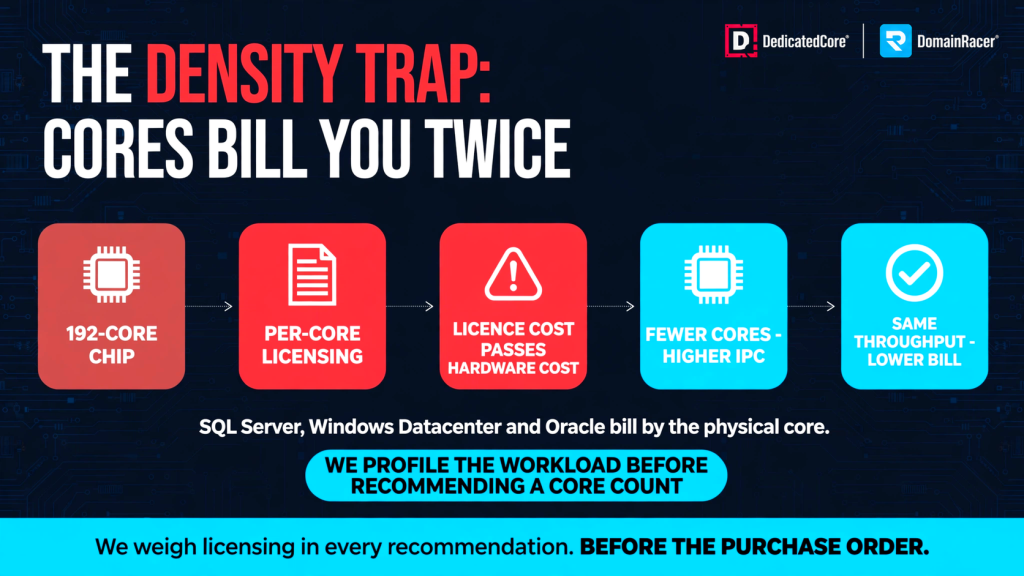
Per-core licensing is the final step in our method, not an afterthought.
- Software that bills by the core. SQL Server, Windows Datacenter, and Oracle charge per physical core, and a 192-core chip can push licence cost past hardware cost
- The density trap. A high-core server saves on hardware but destroys the budget in licences. A lower-core chip with higher IPC delivers the same throughput for less
We weigh licensing in every recommendation and track the full cost picture alongside hardware inventory. on-site spare parts stocking ensures controller and disk replacements never blindside a refresh budget.
CPU Generation Comparison: Measuring Provider Transparency
Most providers list a generation name and a price. This table shows what sits behind the label when you compare budget, managed, and DedicatedCore plans on the generation details that affect real performance.
| What to check | Typical budget host | Average managed host | DedicatedCore / DomainRacer |
| Exact SKU published | No | Generation family mentioned | Exact model number on every plan page |
| Architecture generation | Often 2017–2020 era | 2021–2023 | Current-generation Xeon 6 / EPYC Turin |
| Memory type disclosed | Rarely | DDR4 noted | DDR5 channels and speed published per plan |
| PCIe generation | Not stated | Gen 4 mentioned | Gen 5 with lane count documented |
| IPC or benchmark data | None | Synthetic score sometimes | Workload benchmark with date and method |
| Platform refresh cycle | Undefined | 3–5 years | Tracked per server with published rotation |
| Trial period | No trial | 7-day trial | 30-day trial with money-back guarantee |
A provider that lists a generation name without the exact SKU is selling a label, not a specification. We apply the same transparency standard across every transparent allocation VPS tier so each plan lists the CPU model, allocation ratio, and benchmark data upfront.
CPU Generation Comparison: Inside Our Customer Upgrade Case Study
We document this case because a generation label alone would have led to the wrong server.
A SaaS provider ran 40 VMs on dual-socket EPYC 7713 servers from 2021. The servers had 128 cores with DDR4. Memory bandwidth was bottlenecked during reporting windows despite 35 percent CPU use.
Our solution: We moved the workload to a single-socket AMD EPYC 9554 with 64 cores, 12 channels of DDR5, and PCIe Gen 5.
The result: Two servers consolidated to one. Reporting latency dropped by 45 percent. SQL Server licensing cost fell by half. Power draw dropped by 38 percent. Ongoing server performance is tracked against production load upgrade testing so gains hold over time.
DedicatedCore’s Expert Answers to CPU Generation Comparison Questions
We hear these questions from hosting buyers evaluating CPU upgrades, and our in-house experts answer them with practical insights drawn from real-world server deployments, hardware performance, and infrastructure experience.
How do you compare two server CPUs when the newer one has fewer cores?
We run the same workload on both and measure task completion time. A 64-core chip from 2025 with higher IPC can match a 128-core chip from 2021. The newer chip finishes more work per cycle, so it needs fewer cores. The exception is a workload that truly scales across all 128 threads. Forex traders verify sustained single-core speed on terminal count execution plans where every core is pinned at 1:1 allocation.
Overselling inflates vCPU counts past real core allocation, and vCPU versus dedicated allocation shows why thread scaling must match actual software behaviour.
Which benchmark do you trust for a database server, and which for a virtualisation host?
We trust SPECspeed and Geekbench single-core for database servers because databases hit single-thread bottlenecks on query parsing. We trust SPECrate and multi-thread PassMark for virtualisation hosts where dozens of VMs must not starve each other.
Scores across benchmark versions are never compared directly. Execution speed is tested end to end against ten-point infrastructure evaluation standard so the context is always published alongside the number.
When do you advise against the highest-core generation because of licensing?
We advise against the highest-core generation when the software bills by the core and the workload uses only a fraction of those cores. A 192-core server running SQL Server costs far more in licences than a 32-core server with higher IPC. We profile the workload first and recommend the lowest core count that meets throughput.
Hidden licensing costs surface before the purchase order because drive replacement time commitment also documents every component swap, so no cost blindsides the refresh.
Choose the Right Server CPU: Look Beyond Generation Labels
The method is the same every time. Exact SKU, then architecture, then platform, then benchmarks, then power and licensing. A generation label alone tells you nothing without the IPC, memory bandwidth, and platform behind it. We follow this order on every hardware refresh so the numbers decide, not the marketing tier.
Hosting buyers who need full hardware isolation can compare exact SKUs and benchmark scores across published spec server builds before committing to a generation. DedicatedCore and DomainRacer help teams scale across VPS tiers with transparent resource allocation, including pinned CPU cores, NVMe storage, and DDR5 configurations, backed by a 30-day trial and money-back guarantee.

