
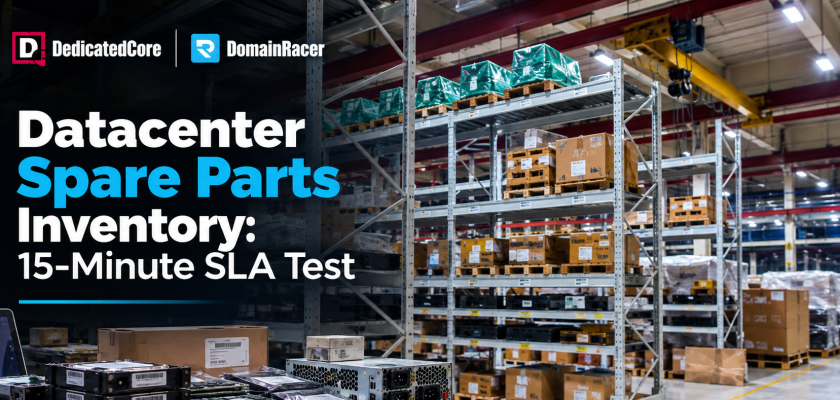
Spare parts inventory is the stock of tested, ready-to-fit components a host keeps beside the racks — and every other promise depends on it. An SLA, a warranty, a monitoring alert: none of them fixes anything if the part is three days away instead of on a shelf minutes from the rack.
That is why we treat the shelf as the product. A failed drive can take a service down for hours, yet the fix is usually a $200 part, and unplanned outages average $14,056 per minute while it sits in transit. Nearly half of all outages trace back to hardware, but most buyers ask about CPU cores and never what sits behind the rack. DedicatedCore and DomainRacer stock spares on-site in every facility, because the fastest-response clause is worthless without the part behind it.
Business Benefits of Datacenter Spare Parts and Inventory Management
Business Benefits of Datacenter Spare Parts and Inventory Management
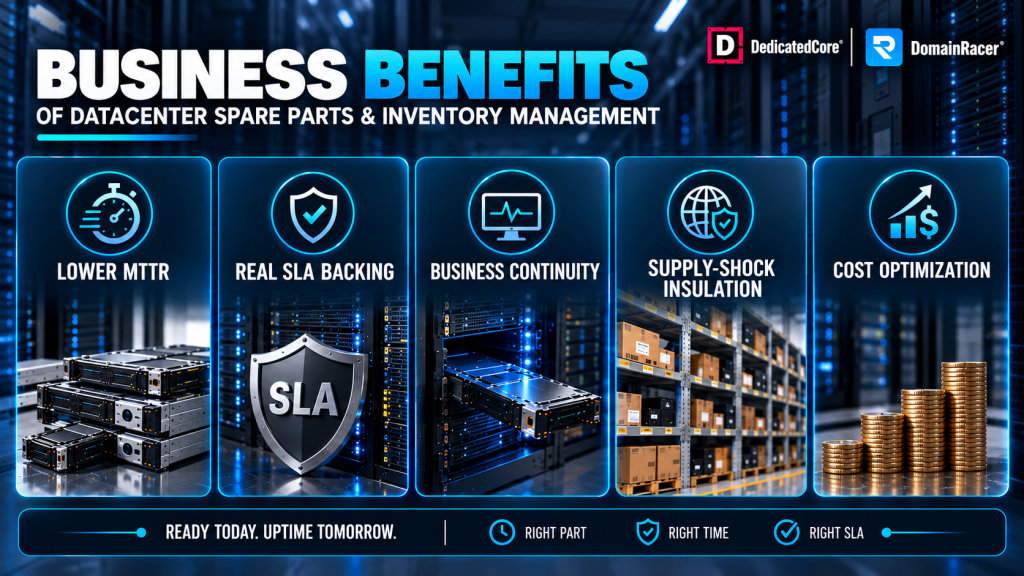
A dead part only becomes a dead service if the replacement is not in the building. A spare-parts program exists to break that link:
- Lower MTTR. The fix sits on-site — no shipping, no customs, no courier truck between you and uptime.
- Real SLA backing. A “15-minute replacement” clause is a bluff without a tested part behind it.
- Business continuity. Redundant parts keep the workload live while the dead one is swapped, so users never see it.
- Supply-shock insulation. Chip shortages and freight delays hit hosts who order on demand, never clients whose parts arrived months ago.
Mean Time to Repair (MTTR) is the number this discipline exists to shrink — and it is decided on the shelf, not in the ticket queue.
Ask your current host what their fill rate is — how often a needed part comes straight from on-site stock. If they cannot answer, the shelf is empty.
DedicatedCore’s Spare Parts and Inventory Planning Framework
Hold too little, and you breach an SLA. Hold too much, and capital rots as the next generation ships. The right depth moves with fleet size, hardware age, and risk — getting it right is the core of our methodology.
Most operators start near 2–5% of active nodes, then adjust for four things:
- Fleet diversity. More hardware generations mean more distinct spares. Standardising the fleet shrinks the shelf.
- Historical failure rate. Our own data is more useful than generic vendor MTBF numbers because it shows how our hardware actually fails in our own facilities.
- Lifecycle stage. Reserves go up as a hardware generation gets closer to wearing out. And once a part is past End-of-Service-Life (EOSL), it can’t be reordered at all
- Vendor lead time. Outdated hardware imported SKUs have larger buffers. When the second-hand market offers better deals on a discontinued board, we buy from there
Our ABC analysis keeps it lean without going short:
- Class A — costly, low-volume CPUs and boards, held in tight reserve.
- Class B — mid-tier controllers and memory, stocked to deployment density.
- Class C — cheap, high-churn fans and cables, stocked deepest.
Safety stock covers sudden spikes in failures, while buffer stock covers shipping delays. This way, capital never sits frozen on a shelf when it could be earning instead.
Send us your fleet spec, and we will model the reserve depth your workload actually needs — most fleets carry the wrong 3%, not too little.
Spare Servers vs. Spare Components: Choosing the Right Datacenter Readiness Strategy
There are two ways to hold backup hardware, and a serious host runs both. Whole servers cover a total node loss; component spares cover the small parts that fail far more often. Businesses that need dedicated compute can use DedicatedCore dedicated servers as the underlying infrastructure for these workloads.
| Standby type | Recovery time | Best for | How we use it |
| Hot standby | Seconds | Trading, payments, critical databases | DedicatedCore enterprise tier, live-synced |
| Warm standby | Minutes | Business apps, mid-tier SaaS | Staged and patched, ready to take load |
| Cold standby | 30+ minutes | Batch jobs, dev and staging | Racked and tested, powered on demand |
| Component spare | 15–60 minutes | General fleet, high-volume parts | DomainRacer VPS, on-site swap from the vault |
We split this by product line. DedicatedCore uses hot and warm standby on enterprise dedicated servers. There, every second of downtime costs revenue. DomainRacer takes a different approach. It pairs deep component spares with fast on-site swaps across its VPS fleet. This keeps uptime high, at about 40% lower prices than a fully dedicated setup.
Most hosts only hold one layer, since two layers cost more. But holding both is the whole point. For workloads that do not require a fully dedicated server, DedicatedCore Linux VPS hosting provides a virtualized alternative with dedicated resource allocation.
Essential Datacenter Spare Parts and Inventory for Enterprise Business Continuity
Failure isn’t spread evenly, so the shelf isn’t stocked evenly either. Storage drives top every failure table, since a server runs several of them nonstop, and power supplies come in close behind. That’s why we stock both the deepest. The specific ways each part fails are covered in our guide to common hardware failures.
Essential Datacenter Spare Parts and Inventory
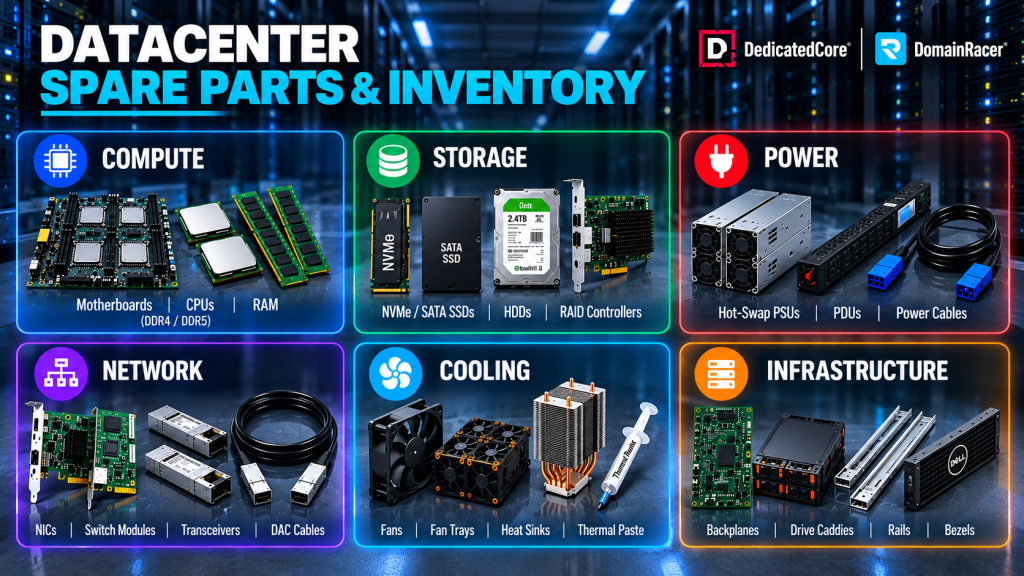
A complete vault covers every layer:
- Compute — multi-socket motherboards, matched CPU SKUs, ECC DDR4 and DDR5.
- Storage — enterprise NVMe and SATA SSDs, high-capacity HDDs, RAID controllers.
- Power — hot-swap PSUs, smart rack PDUs, heavy-gauge cabling.
- Network — dual and quad-port NICs, switch modules, transceivers, DAC cables.
- Cooling — hot-swap fans, fan trays, heat sinks, thermal paste.
- Infrastructure — backplanes, drive caddies, rail kits, bezels.
We rank every part by criticality, and that ranking — not a flat percentage — determines how many we keep ready. A single boot drive with no redundancy earns a deeper shelf than a part that fails twice as often but hot-swaps without a blink.
We stock every layer here in each facility. Budget hosts carry drives and PSUs and gamble on the rest — fine until the rest is what fails and the warranty part is three days out.
Optimizing Enterprise Hardware Recovery with Datacenter Spare Parts and Inventory
Every host says they hold spares. The difference is depth, location, and whether anyone measures it.
| What decides recovery | Typical budget host | Average managed host | DedicatedCore / DomainRacer |
| Where the part lives | Ordered on demand | Regional warehouse | On-site, same rack row, every facility |
| Stocked by | Nothing formal | Rough part-type buckets | ABC analysis, ranked per SKU |
| Reserve depth | None held | Vague percentage | 2–5% of nodes, scaled to wear curve |
| Custom-build SKUs | Your problem | Sometimes stocked | Isolated pool, ring-fenced to your SLA |
| Fill rate quoted | Unknown | Not tracked | Measured and reported |
| Old part disposal | Landfill or resold raw | Basic wipe | Chain of custody, certified destruction |
| What you find out | An outage | An outage | A part already on the shelf |
That bottom row is the whole product. Budget and managed hosts find failure the way you do — when it happens. Everything above it moves the discovery from your outage report to our maintenance log. And we measure it: fill rate, MTTR, and stock accuracy are tracked per site, because a parts strategy without numbers is just a shelf you hope is full.
Datacenter Spare Parts Availability and Inventory: The Foundation of Every SLA
An SLA on a bare-metal server is a physical promise, not a legal one, and the response tier you buy maps directly to where the stock lives. This is the hinge between this article and our hardware replacement SLA.
- 15-minute needs hot or warm standby on matching fabric.
- 30-minute to 1-hour needs on-site technicians and a local vault, same rack row.
- 4-hour leans on standard support and a regional hub, fine when an hour offline costs little.
A flawless alert is worthless if the shelf is bare — which is why a 99.99% uptime guarantee is really an inventory promise wearing a percentage. Enterprise tenants get isolated pools too: exact SKUs, ring-fenced, never pulled for another client.
Most parts we swap never cause an outage. They get pulled in a quiet window because monitoring flagged the wear early — the predictive side lives in our data center preventive maintenance program, keeping the shelf turning over on our schedule, not the hardware’s.
Regional Spare Parts Availability and Inventory: Keeping a Tested Part Near Every Rack
One vault is not enough at scale. A spare in Mumbai cannot help a node in Frankfurt, so we keep a tested part near every rack, at four depths:
Local on-site — zero transit time, where every fast SLA is won.
Regional warehouses — restock nearby sites within hours.
Multi-datacenter pools — one inventory view, so stock can move.
Disaster-recovery caches — geo-spread stock for a whole-site outage.
Placement is only half of it — a spare that fails on arrival is the outage twice, so nothing reaches a rack unproven:
Intake — logged, serial-tracked, stress-tested for dead-on-arrival stock.
Validated — diagnostics and firmware match before deployment.
Recovered — recertified, refurbished, or reconditioned to the same standard as new. Healthy parts are pulled and resold for their secondary value, so pre-owned stock helps pay for what replaces it.
DedicatedCore places tested spare arrays in every active site. DomainRacer mirrors this across its VPS regions — same tier, same uptime guarantee, in every market.
Real Business Outcomes: Two Recovery Stories
Case Study 1 — A Sydney fintech cuts recovery from hours to minutes.
A trading firm ran a latency-sensitive platform on dedicated servers. Mid-session, a RAID controller failed, and their host quoted a four-hour part delivery from a distant hub. In trading, that kind of delay is a disaster — the firm estimated its exposure at over $200,000 in positions and penalties.
Our Solution: DedicatedCore moved the workload to a hot-standby enterprise tier. We stocked tested RAID controllers, ECC memory, and matched drives in the local vault. This vault is just minutes from the racks, with engineers on-site 24/7.
The Result: MTTR dropped from four hours to under twenty minutes, and the firm logged zero SLA breaches over the following year.
Case Study 2 — A growing retailer scales without dedicated servers.
A fast-growing store ran its storefront across several VPS plans. Two drive failures in one quarter slowed page loads during a sale, and cart abandonment spiked. They needed real uptime, without paying dedicated-server rates everywhere.
Our Solution: We moved the store onto DomainRacer VPS nodes that are backed by deep component spares and SMART monitoring. This approach keeps the parts that fail most—drives, power supplies, and RAM—ready on the shelf for quick replacement.
The Result: When two more drives showed early wear, the system swapped them out off-peak before either one failed. The next sale ran with zero checkout downtime, at a hosting cost around 40% below a dedicated build.
DedicatedCore’s Expert Answers to Spare Parts Questions
Can I get a dedicated, isolated spare pool for my custom build?
Yes, and it is the norm for enterprise and custom deployments. We reserve your exact parts in a dedicated pool, separate from our general fleet stock. This is crucial when your servers use specific CPUs, NICs, or storage that our standard shelf doesn’t carry.
The pool is tied to your SLA tier and contract, so your spares are never pulled to cover another client. Even rare or hard-to-source hardware stays ready, which means a failure gets a guaranteed match instead of a scramble.
Do you replace with the exact part, or an equivalent?
Our goal is always an exact match — same brand, model, and firmware. Identical parts avoid driver conflicts, RAID mismatches, and hidden performance gaps. That’s why we stock by specific SKU, not just by part type.
On discontinued hardware, an exact match isn’t always possible. In that case, we use a validated equivalent that has been tested against the same specs and firmware level. We also confirm its compatibility before the swap, so the system behaves the same afterward.
How is my data protected when a failed drive is replaced?
We treat every failed drive as if it still holds live data, because it almost always does. It is pulled, logged, and held under chain of custody, and it never leaves the facility as readable media.
Before disposal, the item is wiped or physically shredded to comply with GDPR, HIPAA, and PCI-DSS standards. A certificate of destruction is available upon request. The full retirement process is covered in our server decommissioning guide.
Spare Parts and Inventory Management: The Final Enterprise Takeaway
Every other stage of the hardware lifecycle makes a promise. This one has to deliver on it. Monitoring warns you, an SLA promises you, replacement planning prepares you — but on the day a part actually fails, only the shelf can answer. On-site inventory cuts Mean Time to Repair by up to 70%. That’s the whole game: not the spec sheet on the server, but whether the right part was already there.
So look behind the rack before you sign a contract. Ask any host their fill rate, their reserve depth, and where your nearest spare actually sits. If they’re vague, that vagueness is the outage speaking for them. DedicatedCore builds hot-standby vaults into every dedicated server, while DomainRacer brings the same discipline to VPS at a lower price. Pick the host whose shelf is already full, not the one whose spec sheet just reads the best.

